 Tusivo
A Tusivo app
Renewals and deadlines Alpha Windows 10 and 11
Duejoro: never miss a renewal.
A free, open-source tracker for the licenses, permits, insurance policies, contracts and filings your business has to keep up with. One list, a clear view of what is overdue or coming due, and your records stay on your own computer. An alternative to renewal-tracking subscriptions, with no server and no account.
Free. About 66 MB. No installer: you just run the file. Open source: github.com/Tusivo/Duejoro
What it does
Keep it all in one place
- Licenses, permits, insurance, certifications
- Contracts, leases, subscriptions, warranties
- Tax and government filings, inspections, domain names
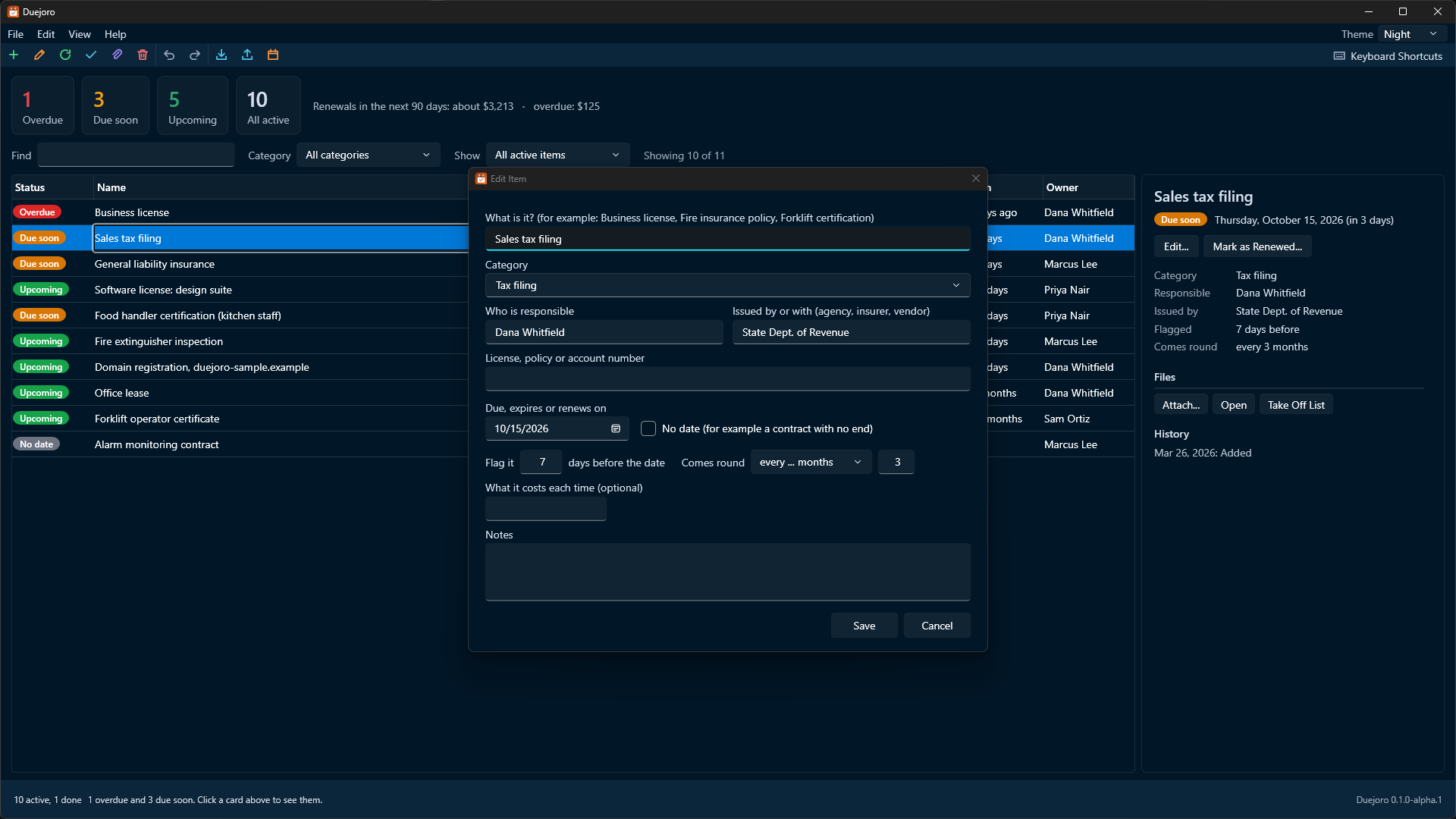
- Who is responsible, who issued it, its number, what it costs, and notes
See what needs attention
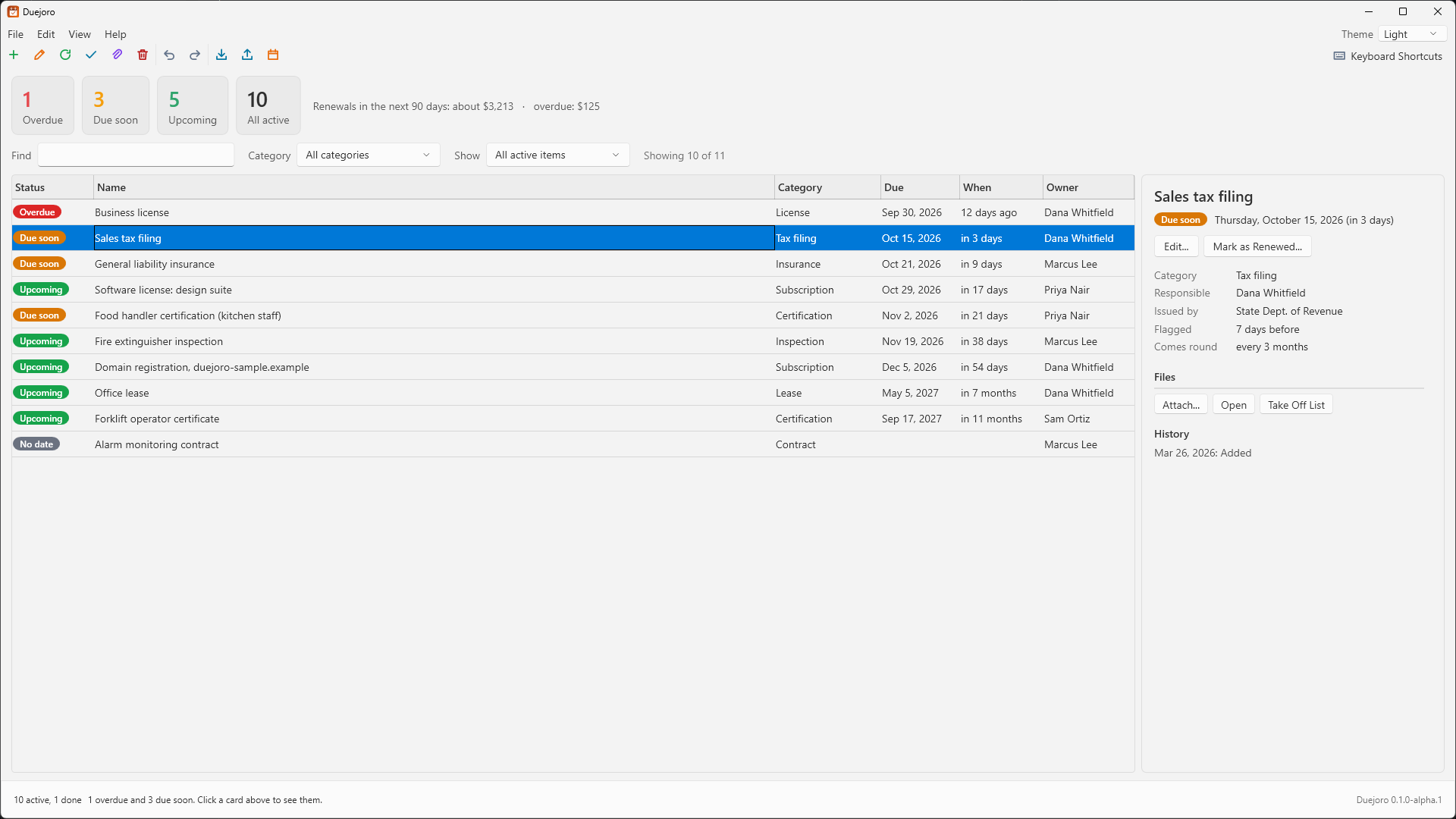
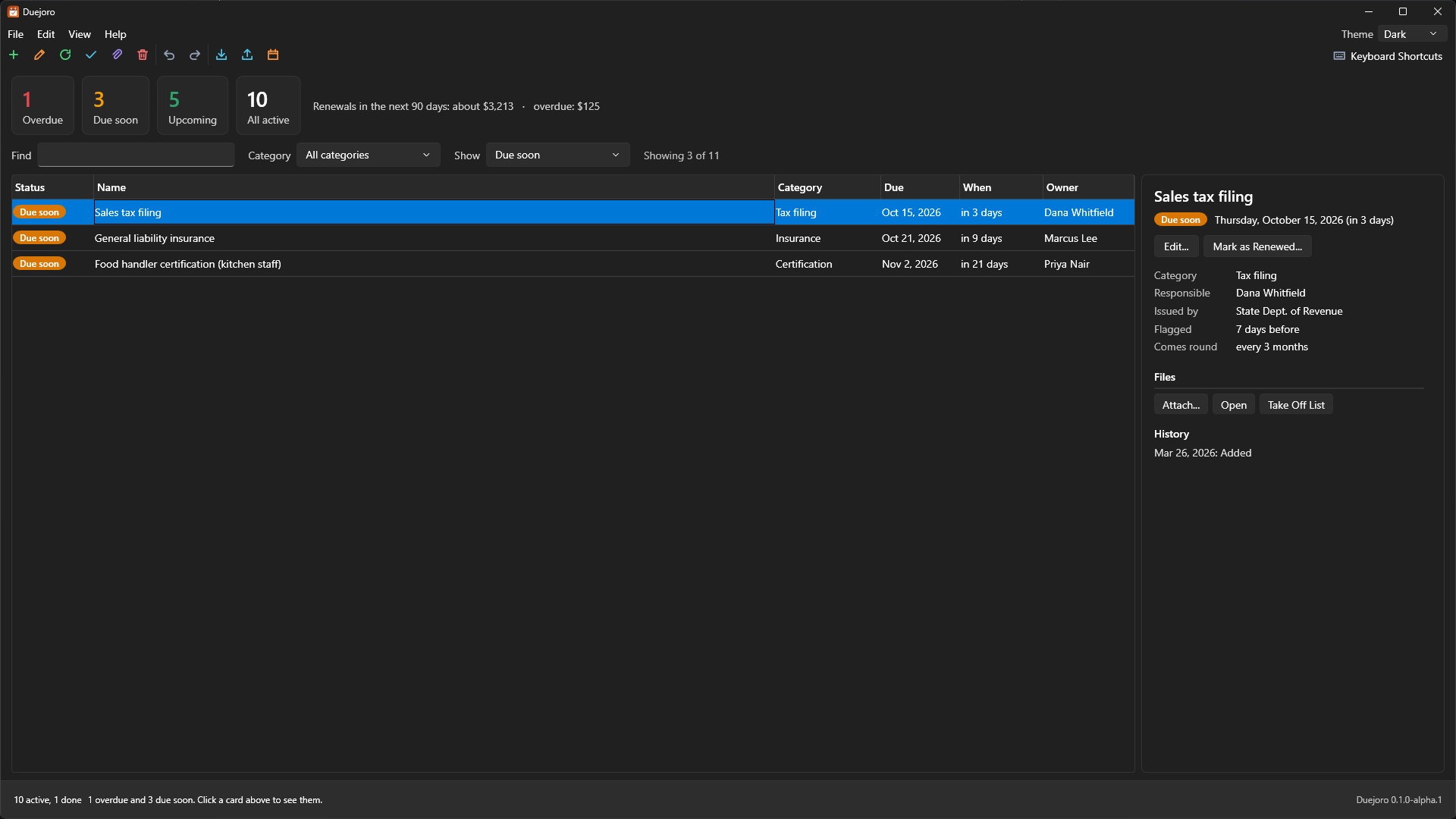
- Cards for overdue, due soon, upcoming and all active
- Color-coded status on every row, soonest first
- Its own "flag it this many days before" for each item
- What is due in the next 90 days will cost, at a glance
Renew in one step
- Mark an item renewed and it moves to its next date, counting on from the old one
- Weekly, monthly, yearly or every-so-many repeats, with month ends handled sensibly
- Every renewal is written to the item's history
Keep the paperwork with it
- Attach the scan or PDF of a license or policy
- Duejoro keeps a copy beside your records and never deletes it behind your back
- Open an attachment from the item with one click
Bring it in, send it out
- Import a list from a spreadsheet (CSV); odd headers and date styles are understood, and anything skipped is reported
- Export to CSV for a spreadsheet
- Export a calendar file (.ics) so the dates and alerts show up in the calendar you already use
Comfortable and careful
- Light, Dark and Night themes
- Undo and redo for every change, including imports
- A dated backup before each session's first change, and recovery if the file is ever damaged
- Optional reminders from the notification area, even when the window is closed
A look inside
Click a picture to see it full size.
Get started
- Download
Duejoro.exefrom the releases page and save it in a folder you will remember. - Run it. Windows may say it protected your PC because the program is not code-signed with a Windows certificate yet. Choose More info, then Run anyway.
- Add your first item, or import a spreadsheet you already keep. Your records are saved in a
Duejoro-Datafolder next to the program.
Duejoro reads and writes files on your computer only. Nothing is uploaded.
Please read: it is an alpha
Duejoro works, but it is an early preview. It has not yet been used on many real lists and has not had an independent security review.
Duejoro does not encrypt your records, so keep its folder somewhere only the right people can reach. It only knows the dates you give it: it does not tell you what a license or filing requires, or whether one is valid.
Questions
Is it really free?
Yes. Every feature is included and there is no paid version. It is open source under the GNU Affero General Public License 3.0 or later. If it helps you, you can buy me a coffee, but that is entirely optional and changes nothing.
Where are my records kept, and are they uploaded anywhere?
They are kept in a Duejoro-Data folder in the same folder as Duejoro.exe: the records file, the documents you attach, your settings and the backups. Copy the program and that folder together and your list goes with it. Nothing is uploaded, and Duejoro sends no usage data. The only time it contacts the internet is when you click Check for Updates.
Does it need a server, or can several people use it?
It needs no server. It is a single-person program: one copy works on one records file at a time, and starting a second copy simply brings the first one forward. You can put the folder on a shared drive and take turns, but sharing a list live between several people is not something it does yet.
How will it remind me?
When you open it, it tells you how many items are overdue or due soon. If you turn on Stay in the Tray and Remind Me in the View menu, closing the window keeps Duejoro running quietly in the notification area, and it shows a notice when something needs attention. You can also export a calendar file so alerts appear in the calendar you already use.
Can I bring in the list I already keep?
Yes. Choose Import from a Spreadsheet (CSV) from the File menu. Duejoro recognizes common column names and several date styles, and tells you about any row it could not use. The whole import counts as one step, so you can undo it.
What about Mac and Linux?
Duejoro is Windows only for now.
How do updates work?
Open Help in the program and choose Check for Updates. It installs a new version only if it carries Duejoro's release signature.
Can I check the source code?
Yes, all of it is at github.com/Tusivo/Duejoro. You can also report problems there, or write to info@tusivo.com with a feature idea.